
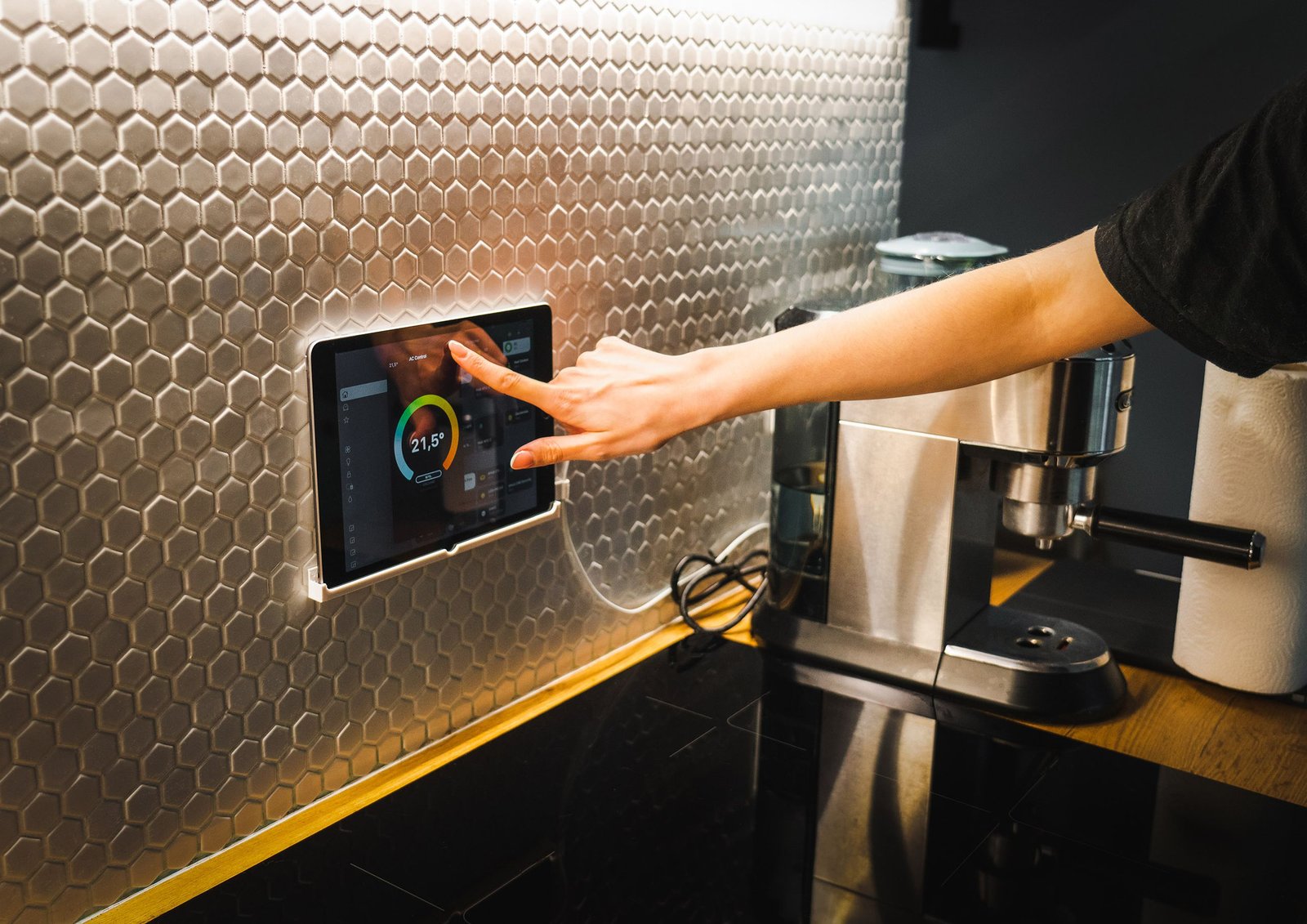
Smart home automation ideas are no longer limited to expensive whole-house systems. Today, homeowners and renters can automate simple tasks such as turning lights on at sunset, adjusting the thermostat when nobody is home, receiving an alert when a door opens, or starting a bedtime routine with one command.
The difference between a smart device and a smart home automation system is simple. A smart device lets you control something through an app, voice assistant, or other connected interface. Automation adds a rule that allows the device to act without a manual command.
For example, turning on a smart light from your phone is remote control. Having that light turn on automatically when motion is detected after sunset is automation.
The good news is that you don’t need to automate your entire home. A few well-planned routines can remove repetitive tasks and make a home more comfortable without making it difficult to manage.
1. 10 Smart Home Automation Ideas That Solve Everyday Problems
Automate Lighting Around Schedules and Motion
Lighting is one of the easiest places to begin with home automation. Smart bulbs, switches, dimmers, and motion sensors can work together to create lighting routines that match how a household actually uses each room.
A basic setup might turn exterior lights on around sunset and off at a set time. Inside the home, motion sensors can activate hallway or bathroom lighting when someone enters an area.
A bedtime routine can make the lights dim automatically instead of switching everything off at once. You can also create different scenes for cooking, reading, watching television, or relaxing.
A useful example is a hallway light that turns on at low brightness when motion is detected during nighttime hours. This provides enough visibility without filling the entire house with bright light.
Sensor placement matters, though. A poorly positioned sensor can create false triggers or fail to detect movement. The smart switch, bulb, sensor, and automation platform also need to work together.
Create Smarter Heating and Cooling Routines
Heating and cooling can become another useful part of a connected home. A compatible smart thermostat can follow schedules based on when people are normally home, away, sleeping, or preparing to wake up.
For example, a household might use one temperature schedule during working hours and another during the evening. Some systems can also use occupancy information or geofencing where supported.
Energy management is another reason homeowners consider this type of automation. ENERGY STAR says certified smart thermostats must demonstrate savings based on installations in homes across the United States. Its current information reports average savings of about 8% of heating and cooling bills, or roughly $50 per year, while also noting that results vary with climate, occupancy, comfort preferences, and HVAC equipment.
Most people assume a smart thermostat automatically means lower bills. The data doesn’t support treating savings as guaranteed. The actual result depends on how the thermostat is programmed and how the household uses its heating and cooling system.
Automate Security Alerts and Entry Routines
Smart locks, door sensors, window sensors, video doorbells, and motion detectors can create useful home security routines.
A door sensor could notify a homeowner when a particular door opens while the household is away. A compatible smart lock may allow temporary access permissions for family members or other approved users.
An arrival routine could also trigger selected lights when a household member returns home. A departure routine might turn off selected lights and check whether certain connected devices remain active.
These systems should be treated as convenience and monitoring tools rather than complete replacements for essential security equipment.
Manual access and safety options should remain available.
Security also depends on account protection. NIST research involving 401 U.S. smart home users found that perceptions of security and privacy differed by device category, with voice assistants viewed as the most problematic category in that study.
Schedule Smart Blinds and Curtains
Automated blinds and curtains can respond to time, sunlight, or other supported conditions.
A simple schedule might open bedroom blinds in the morning and close them in the evening. In a living room, window coverings could follow sunrise and sunset times to provide privacy without requiring someone to adjust them manually.
They can also work alongside lighting and climate routines. For instance, blinds may close during a hot afternoon to reduce direct sunlight entering a room, while lights adjust separately according to indoor conditions.
The practical benefit is consistency. Instead of remembering the same small task every day, the automation handles it according to a schedule.
Installation is the main consideration. Renters may prefer removable or portable solutions, while hardwired products may require property-owner approval.
Use Smart Plugs for Simple Device Schedules
Smart plugs are a straightforward way to introduce automation without replacing an existing appliance.
A compatible lamp can be scheduled to turn on before someone arrives home. Holiday lights can follow a set schedule. A small household device may also be turned off automatically at a specific time.
Some smart plugs provide energy monitoring, which can help users understand how much electricity a connected device consumes.
However, not every appliance should automatically be connected to a smart plug. Users should check the plug’s electrical rating and the appliance manufacturer’s instructions before using one.
Here’s the thing: simple automation is often more useful than a complicated setup that controls dozens of devices.
Start with something you repeatedly forget to turn on or off.
Build Morning and Bedtime Routines
A routine can combine several individual actions into one automated sequence.
A morning routine might gradually turn on bedroom lighting, adjust a thermostat, provide a weather update through a compatible speaker, and trigger other supported devices.
A bedtime routine could dim lights, adjust the temperature, lock compatible doors, and turn off selected connected devices.
These routines are useful because they focus on a sequence rather than a single product.
Look — if you’re starting with one room, here’s what actually works: choose a routine that already happens every day and automate the smallest number of steps needed to make it easier.
The devices don’t all have to come from the same manufacturer, but they must be compatible with the platform and automation method being used.
Automate Household Chores With Compatible Smart Appliances
Smart appliances can provide useful automation for repetitive household tasks.
A connected robot vacuum, for example, may follow a schedule rather than requiring someone to start it manually. Certain connected appliances can send completion notifications or provide status information through an app.
Connected laundry equipment may notify users when a cycle finishes. Some kitchen appliances can also provide remote status information or scheduling features.
Safety should remain the priority. Remote operation is not appropriate for every appliance or every situation. Users should follow manufacturer instructions and understand exactly what the appliance is designed to do remotely.
Or maybe I should say it this way: automation should remove unnecessary steps, not remove human judgment where safety matters.
Automate Outdoor Watering and Garden Care
Outdoor automation can help homeowners manage watering schedules without remembering them manually.
A smart irrigation controller can follow programmed schedules and, on compatible systems, adjust watering according to weather information or other supported conditions. Soil-moisture sensors may also provide useful information where the irrigation system supports them.
For example, a homeowner could create different schedules for warmer and cooler periods instead of using one fixed routine throughout the year.
Some systems can also provide alerts for potential leaks or unusual watering activity.
Results depend heavily on local conditions. Soil, rainfall, plant types, landscaping, climate, and irrigation equipment all affect what schedule makes sense.
A smart irrigation system should therefore be treated as a management tool rather than a guarantee of lower water use.
Personalize Home Entertainment Scenes
Home entertainment is another area where automation can make everyday routines smoother.
A movie scene could dim compatible lights, adjust selected lighting colors, and prepare supported entertainment devices. A music routine might create a comfortable lighting setting while starting audio in a selected room.
Gaming setups can use similar ideas, although compatibility varies considerably between devices and platforms.
The goal isn’t to connect every device in the room. A useful scene might involve only two or three actions.
For example, a living room could have a “Movie” scene that lowers compatible lights and activates the desired entertainment setup. A “Relax” scene could use softer lighting and audio settings.
The best entertainment automations are usually the ones that remove several small steps from an activity you already do regularly.
Use Occupancy and Door or Window Sensors for Responsive Automation
Sensors can make a home respond to what is happening instead of relying only on fixed schedules.
An occupancy sensor might turn lights on when a room is being used and turn them off after a period of inactivity. A door or window sensor could trigger a notification or another compatible action.
Sensors can also support reminders. For example, a system might notify a homeowner when a window remains open while a heating or cooling system is operating, if the products and platform support that condition.
This is where the basic automation model becomes useful:
Trigger → condition → action.
The trigger could be motion, a time of day, a door opening, or another event. A condition determines when the rule should apply. The action is what the connected device does.
Once you understand that structure, many smart home routines become easier to plan.
2. How to Choose the Right Automation for Your Home
The best home automation project doesn’t necessarily start with the most advanced device. It starts with a repeated problem.
Start With a Repeated Problem, Not a Gadget
Walk through a normal day and identify tasks that happen repeatedly.
Maybe lights are left on in certain rooms. Maybe the thermostat needs frequent adjustments. Perhaps you regularly forget to close the blinds or check whether a garage door is closed.
Those are potential automation opportunities.
A simple way to prioritize is to ask:
- Does this task happen frequently?
- Is it easy to describe with a clear trigger?
- Would automation save time or reduce inconvenience?
- Can the automation fail safely if something goes wrong?
If the answer is yes to most of these questions, the task may be worth automating.
Check Platform and Device Compatibility
Compatibility is one of the biggest issues beginners face.
A smart device may support one platform, communication technology, or automation method but not another. Before purchasing anything, check whether the device works with the smart home ecosystem you already use.
Matter is designed as an interoperability standard for compatible smart home devices. The Connectivity Standards Alliance describes Matter as an application-layer solution intended to help compatible devices and systems work together.
That does not mean every smart product automatically works with every platform or provides identical features across ecosystems.
Read the compatibility information before buying.
Decide Whether You Need a Hub or Local Automation
Some devices connect directly through Wi-Fi and an app. Others may use a hub, bridge, or controller.
The choice depends on the products and automation system.
A local-capable setup may allow certain routines to continue even when internet access is unavailable, while cloud-dependent features may stop working or lose remote functionality during an outage.
Some users prefer cloud-connected systems because they can be simpler to configure and access remotely. Local-capable systems can provide different reliability and privacy characteristics, but they may require more planning.
Check Wi-Fi Coverage, Power, Installation, and Subscription Needs
A smart home is only useful when its devices can communicate reliably.
Check Wi-Fi coverage in the areas where devices will be installed. Battery-powered sensors should be placed where their batteries can be replaced easily. Cameras and other connected devices may require subscriptions for certain features.
Electrical and HVAC changes deserve extra care. Plug-in devices are often easier for beginners, while wiring, electrical work, or significant heating and cooling modifications may require a qualified professional.
3. Smart Home Privacy, Security, and Reliability Checks
Convenience should not come at the expense of basic security.
Secure Accounts and Enable Multifactor Authentication
Use strong, unique passwords for smart home accounts and enable multifactor authentication when the service provides it.
Keep devices updated and remove accounts or devices that are no longer being used.
NIST’s 2025 research highlights that security and privacy perceptions vary across smart home device categories, which is one reason a single security approach should not be assumed to fit every connected device.
Understand What Cameras, Microphones, and Sensors Collect
Different devices can collect different types of information.
A camera may capture video. A voice assistant may process voice commands. Occupancy sensors can reveal patterns about when spaces are being used.
Before enabling a feature, review its privacy settings and understand what information the device or associated service handles.
Household members should also understand what connected devices are operating in shared spaces.
Keep Manual Controls for Important Functions
Automation should not become the only way to perform an important task.
Critical functions should have an appropriate manual fallback. A smart lock should have an appropriate alternative access method. Important heating, security, and safety equipment should not depend entirely on one automated routine.
If a routine fails, the home should still be manageable.
Plan for Internet or Power Outages
Internet outages can affect cloud-connected features, while power outages can affect the devices themselves.
Before building an automation, understand what happens when the internet disappears. Some local routines may continue, but cloud-based integrations and remote access may not.
This is particularly relevant for security notifications, cameras, smart locks, and other systems where reliability matters.
4. Common Smart Home Automation Mistakes to Avoid
A few planning mistakes can turn a simple smart home project into an unnecessary headache.
Buying Devices Before Checking Compatibility
A low-priced device isn’t necessarily a good purchase if it cannot work with the platform already used in the home.
Check compatibility first.
Building Too Many Complex Routines
It can be tempting to create an elaborate automation immediately. That can make troubleshooting difficult.
Start with one routine. Test it for several days. Then expand it if the result is useful.
Ignoring Privacy and Account Security
Smart devices still need basic digital security. Use strong passwords, multifactor authentication where available, software updates, and sensible privacy settings.
Assuming Automation Always Reduces Bills
Some automations can help manage energy use, but savings depend on the home, equipment, climate, occupancy, and behavior.
The same principle applies to water and other household resources.
Using Devices in Ways They Were Not Designed For
Check electrical ratings and manufacturer instructions before connecting appliances to smart plugs or remote controls.
Removing Manual Fallbacks
A smart routine should make life easier, not leave the household helpless when a device, network, or service fails.
Forgetting Rental Restrictions
Renters should check whether a device requires drilling, wiring, lock replacement, or another permanent modification.
Portable and wireless products can be easier choices for rental properties.
5. Frequently Asked Questions About Smart Home Automation
What are the best smart home automation ideas for beginners?
Start with a small task that happens frequently. Scheduled lighting, a compatible smart plug, thermostat routines, or a simple morning or bedtime scene can introduce automation without requiring a complete home upgrade.
How does smart home automation work?
Smart home automation uses triggers such as time, motion, occupancy, location, or device status. A compatible platform then performs an action according to the rule you create.
Can smart home automation help save energy?
It can help manage energy use by adjusting thermostats, lighting, and other compatible devices. ENERGY STAR reports average savings of about 8% of heating and cooling bills for certified smart thermostats, but actual results vary by home and usage.
Which smart home devices should I automate first?
Start with a device connected to a repeated inconvenience. Prioritize simple routines, compatibility, reliability, and your available budget rather than buying many devices at once.
Do I need a smart home hub?
Not always. Some devices connect directly through Wi-Fi or a supported platform, while others use a hub or controller. The requirements depend on the products and automation system you choose.
Can I automate my home without professional installation?
Many plug-in and wireless products can be installed by homeowners or renters. Electrical work, HVAC modifications, and more complex installations may require a qualified professional.
Are smart home automation systems safe to use?
They can be used responsibly when users secure their accounts, update devices, review privacy settings, follow installation instructions, and maintain appropriate manual controls for important functions.
Can smart home automation work without an internet connection?
Some local automations can continue without internet access, but cloud-dependent routines, remote access, and certain integrations may stop working. Check the specific system before relying on it.
What is the difference between a smart home device and home automation?
A smart device provides connected features such as app or voice control. Home automation adds rules that allow the device to respond automatically to triggers, schedules, conditions, or other events.
Is smart home automation suitable for renters?
Yes. Many renters can use portable smart bulbs, plugs, sensors, speakers, and other wireless devices. Permanent wiring, locks, or structural modifications may require the property owner’s permission.
Conclusion: Start Small and Build a Home That Responds to Your Routine
The most useful smart home automation ideas are not necessarily the most complicated ones. A simple lighting schedule, thermostat routine, sensor alert, smart plug, or bedtime scene can solve a real household problem without requiring a complete technology overhaul.
The key is to begin with a repeated task. Once that automation works reliably, you can decide whether another routine would provide meaningful value.
Compatibility also matters. Before adding new devices, check the platform, communication method, installation requirements, privacy settings, and subscription costs. Keep manual controls for important functions and understand what happens when power or internet access is interrupted.
A connected home should make everyday life easier to manage. Start with one or two useful routines, learn how they behave, and build from there.

1 Comment
Pingback: Smart Home Installation: A Beginner’s Guide to Setting Up a Connected Home